Spanish Basic Level


Home

1. Video and text

2. Vocabulary

3. Crossword puzzle

4. Make a sentence

5. Fill in the blanks

Supporting materials to be used as handouts after working through the exercises above. The idea is that students are to work in pairs where student A instructs student B how to wire an electric plug. Download handouts are in two levels; basic and intermediate

Download the basic Spanish handout (Adobe Acrobat document .pdf)

Download the Intermediate Spanish handout (Adobe Acrobat document .pdf)

Switch to "intermediate" level

Switch language:


Instructions

The exercises have been made for Internet Explorer 6 and Netscape 6.

If you use another browser version you might receive error messages. However, if you ignore the error messages you might find that the exercises actually work.

It is recommended that you work through the exercises in sequence.

1. Video and text. First you should watch the video, then you can scroll down through the text and if needed click on a flag for a translation
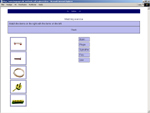
2. Vocabulary. In this exercise you should drag the words on the right and drop it on the correct picture
3. Crossword puzzle. Click on the numbers and type in the word that corresponds to the displayed picture(s).
4. Make a sentence. Drag and drop the words so they are arranged as a sentence.
5. Fill in the blanks. Type in the missing words

The exercises above have all been developed using the software Hot Potatoes from Half Baked Software as described in the "Computer Assisted Language Learning" method manual, which can be downloaded from www.languages.dk/methods/methods.html

Comments are welcome ka@ots.dk